August 20, 2026
New feature: The Planboard
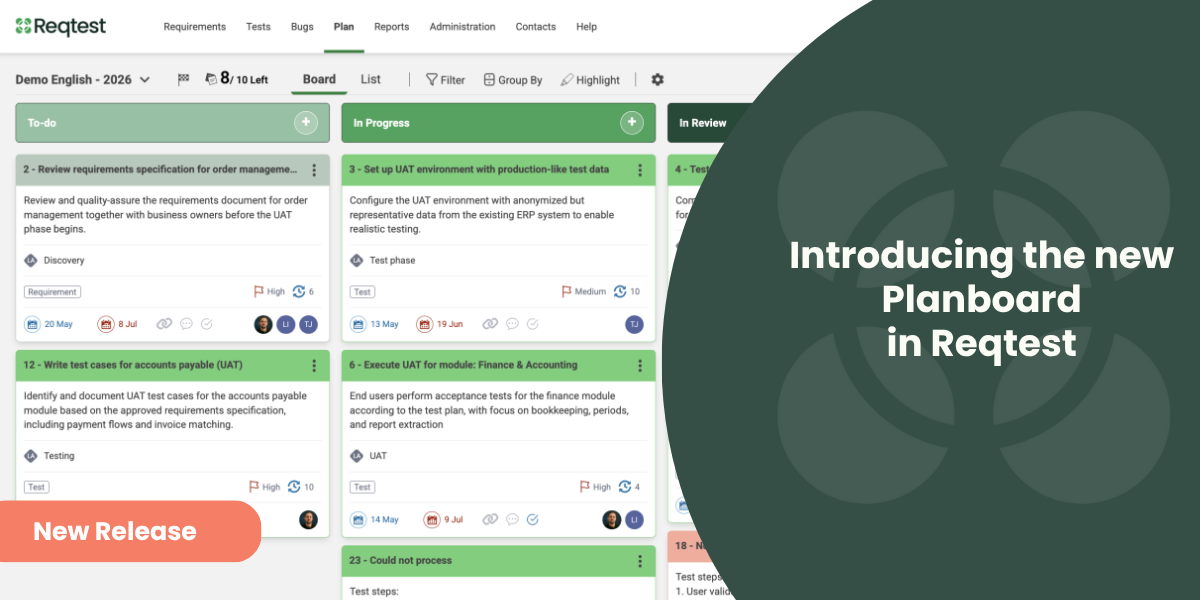
The new Planboard is now available in Reqtest, making it easier to plan, prioritize, and track work from backlog to delivery. Instead of managing project planning in a separate tool, you can now keep everything in Reqtest: create tasks, organise work in columns, and connect everything to requirements, bug reports, and test cases in a single view. The Planboard replaces the Agile Board and introduces several new features.
Key features
- Tasks – The fundamental unit of the board. Create tasks directly on the board or add them from a requirement, bug report, or test case. Fill in the fields you need and assign the task to one or more team members.
- Columns – Represent stages in your workflow, such as Backlog, In Progress, and Done. Moving a task to a new column automatically updates its status.
- Groupings – Divide the board horizontally and group tasks by row, assignee, or priority for a structured overview.
- Linked tasks – Connect a task to requirements, bug reports, or test cases as a reference. A task can have multiple links, including from different modules.
- Mirror link – Mirror a requirement, bug report, or test case as a live copy on the board. Changes are automatically synchronized in both directions, so you always work against the source.
- Custom fields – Add fields beyond the default set, tailored to your team’s needs.
- Access control – Control who has access to each individual board – either all project members or selected individuals.
- Views – Choose between kanban for a classic card view, list for quick overview and filtering, or Gantt for planning against dates.
- Reports – Track progress with burndown, burnup, velocity, and cumulative flow diagrams, connected directly to the board.
How it differs from the Agile Board
- Custom fields – previously fields were fixed and could not be changed. Now you can add and customize fields to suit your team’s needs.
- Access control – you can now control who has access to each individual board, which was not possible before.
- Three views – instead of a single column view you now have kanban, list, and Gantt to choose from.
- Reporting – a new feature connected directly to the board with burndown, burnup, velocity, and cumulative flow diagrams.
- Mirror link – an entirely new feature that ensures you always work against the source without having to keep multiple places updated.
Want to learn more and try the Planning Board?
Log in and try the Planboard today – you’ll find it directly in your project in Reqtest. Log in here.
Want to learn more about the features? Read more in our Help Pages.
Share article
Try Reqtest Yourself
Fill out the form to test Reqtest for 10 days. You’ll be sent an email with instructions on how to activate your account.
-
Structure your tests, requirements and bugs
-
Delegate tasks and collaborate with suppliers or project members
-
Follow the progress and get approval before Go-Live
Trusted by Industry Leaders